 Annotension
Label. Train.
Predict. Correct.
Repeat.
Label a starting dataset, train a detector on your Mac, and predict on more images. Review and correct the suggestions, grow your dataset, and train again—all locally.
Native macOS app · Local training · Human reviewGrow your dataset through review
- Annotate →
Label and review your starting images.
- Train locally →
Train a detector from reviewed labels.
- Predict more →
Add images and generate suggestions.
- Correct →
Fix boxes, classes, and missed objects.
- Repeat ↻
Train again with the expanded reviewed dataset.
Suggestions stay pending until you decide what to keep. Inspect the whole image before approving it, including images where the model finds nothing.
Explore the local loop ↗Annotate similar images together
Cluster the gallery to work through visually similar images together. Keep box and class rules consistent within a group, and use Outliers first to find unusual images worth checking.
Use Needs review or Model predictions to inspect to focus each pass. Clustering organizes inspection; every image still needs your review.
Cluster your gallery →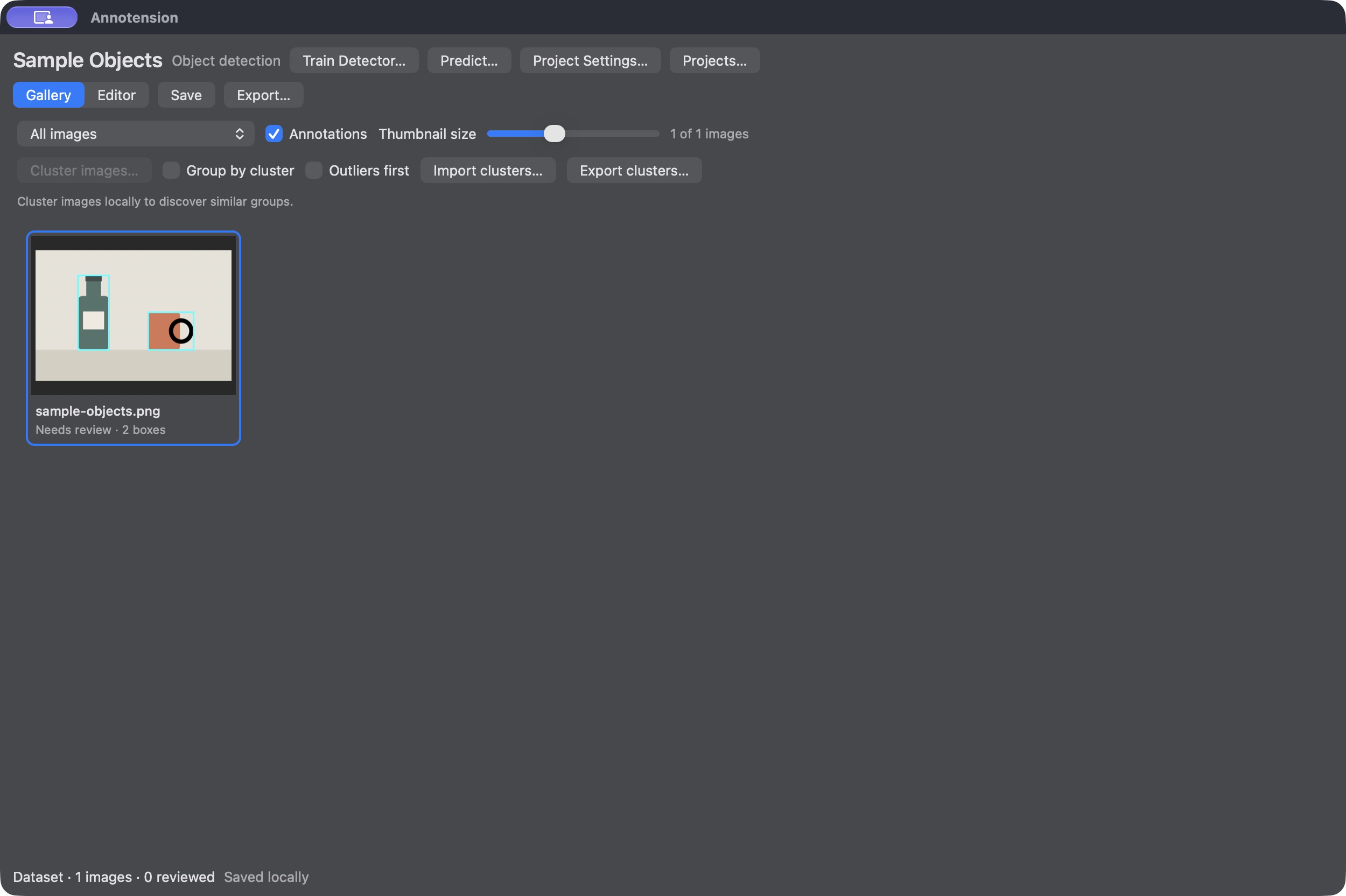
Current tools and what comes next
Today’s workflow uses axis-aligned bounding boxes. Segmentation and other annotation tools are planned; tool types, formats, and release dates are still undecided.
Follow the local training and review loop. Dataset import/export and clustering support the same workflow.
- Bounding-box annotationAvailable
- YOLO / COCO detection import and exportAvailable
- Local image clusteringAvailable
- Detector training and suggestion reviewOptional setup
- Segmentation and other annotation toolsPlanned
Before you start
Mac requirements and getting the app
The app requires macOS 13 or later. Its hardware target is Apple Silicon M2 with 16 GB RAM or above; this is not a performance guarantee for every dataset or training workload.
Install Annotension from its DMG; no Xcode installation is needed. See installation and release status. A public download has not been published yet.
Annotation and clustering run locally without a third-party runtime. Optional detector training requires Apple Silicon, macOS 14 or later, Python 3.11, a separate runtime, and an initial model download. No dataset upload is required.
How projects and reviewed labels work
Creating a project copies your images; the originals stay unchanged. Move or back up the complete project folder, including its images.
Image review is an explicit decision. Inspect an empty image and mark it reviewed to make it a verified negative. Editing boxes clears review.
Accept, edit, or reject model suggestions, then inspect the whole image for missed objects before approving it. Model suggestions do not automatically become reviewed labels.